
Odoo Inventory Management for Warehousing, Distribution, and Manufacturing Teams
Learn how Odoo Inventory helps warehousing, distribution, and manufacturing teams improve stock visibility, fulfillment, replenishment, and operational control.
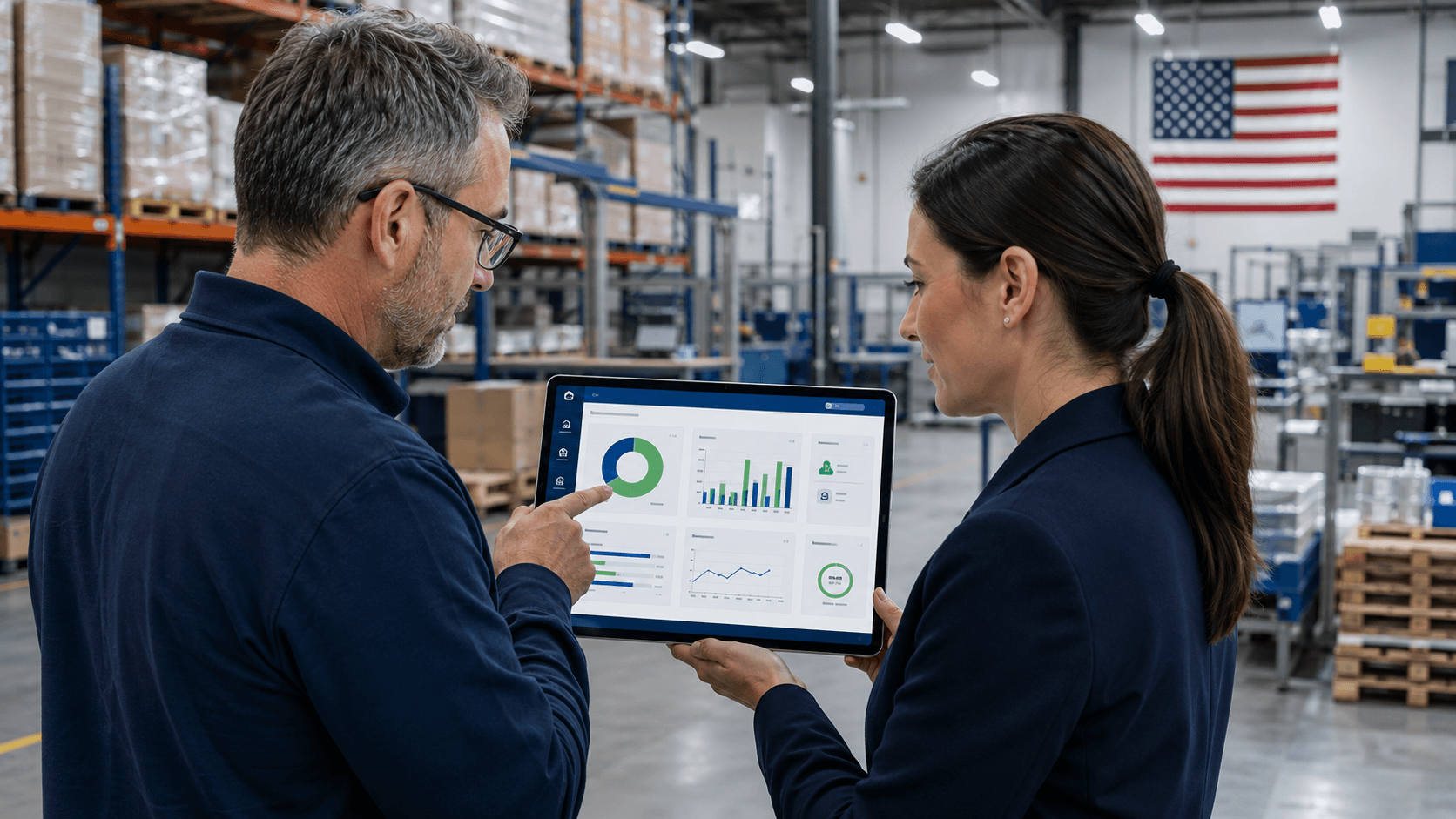
Warehousing, distribution, and manufacturing teams each move inventory differently. A warehouse team may focus on receiving, storage, transfers, and picking. A distributor may need to balance supplier lead times, customer orders, and delivery commitments. A manufacturer must coordinate raw materials, components, production activity, and finished goods.
Despite those differences, the operational challenge is often the same: teams need a reliable view of what they have, where it is, what has been committed, what is arriving, and what needs attention next. When that information is split across spreadsheets, disconnected warehouse tools, email, and separate accounting or sales systems, routine work becomes harder to control.
Odoo Inventory gives businesses a connected foundation for stock movement, replenishment, fulfillment, and reporting. This article explains how the module can support warehousing, distribution, and manufacturing teams - and what to consider before implementation.
Why Inventory Becomes a Business-Wide Issue
Inventory is not only a warehouse responsibility. It affects the availability sales can promise, the purchases a team needs to make, the materials production can consume, the cash tied up in stock, and the accuracy of finance and leadership reporting.
- Sales teams need to know what is genuinely available before committing to a customer.
- Warehouse teams need dependable receiving, putaway, transfer, picking, and delivery workflows.
- Purchasing teams need reliable demand, stock, and lead-time signals.
- Production teams need visibility into component availability and finished-goods movement.
- Finance and leadership need inventory data that supports decisions about cash, margins, and performance.
Three Operating Models, One Connected Inventory Foundation
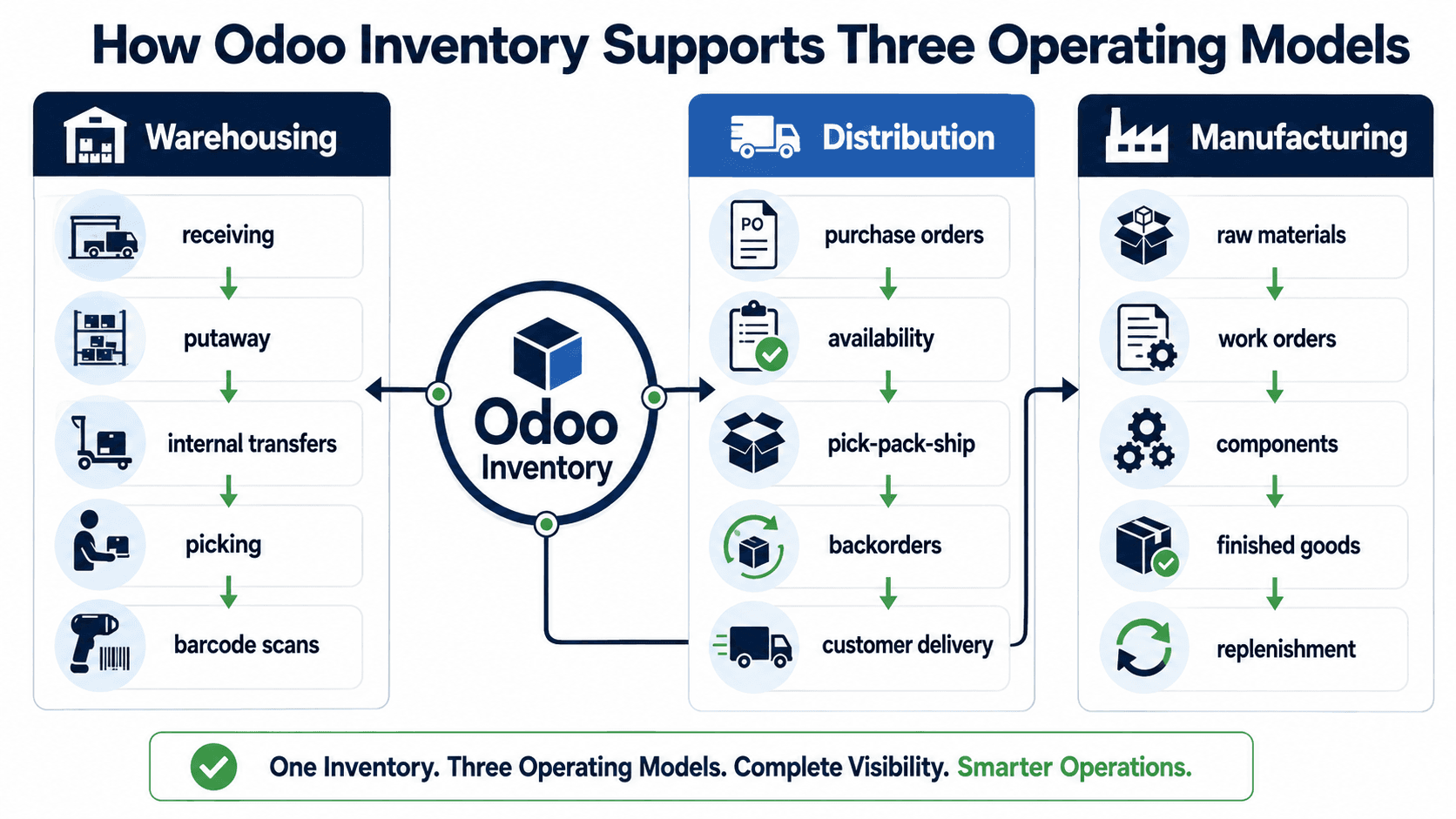
Warehousing: Control the Movement of Stock
For warehouse-focused operations, day-to-day control begins with clear movement. Odoo Inventory can support receipts, putaway, internal transfers, picking, packing, delivery orders, barcode workflows, and location-level stock tracking. The objective is to help users confirm what happened at each step, rather than rely on later manual corrections.
Distribution: Improve Availability and Fulfillment
Distributors need to balance customer commitments with purchasing and warehouse reality. Odoo Inventory can connect sales orders, purchasing, replenishment, stock reservations, delivery activity, and reporting so that availability is not managed in isolation.
Manufacturing: Connect Materials, Production, and Finished Goods
In manufacturing, inventory decisions affect the ability to produce as well as the ability to ship. Odoo Inventory can work with manufacturing workflows to track raw materials, components, work orders, internal movements, finished goods, and replenishment activity.
What Odoo Inventory Can Help Teams Manage
- Product and location-level stock visibility across warehouses, branches, and storage areas.
- Receiving, internal transfers, picking, packing, deliveries, returns, and inventory adjustments.
- Reorder rules, minimum and maximum quantities, vendor lead times, and replenishment signals.
- Lot, serial number, package, and barcode workflows where traceability or process speed matters.
- Connections with sales, purchasing, manufacturing, accounting, shipping, and reporting workflows.
Implementation Considerations Before You Start
Inventory software works best when it reflects the physical and commercial reality of the business. Before configuration starts, teams should document how products are bought, received, stored, moved, produced, sold, returned, counted, and reported.
- Clean SKUs, units of measure, variants, barcodes, lots, serial numbers, and product categories before migration.
- Define locations, routes, staging areas, picking methods, and transfer rules around actual work patterns.
- Set reorder levels, lead times, preferred vendors, and approval requirements carefully.
- Include warehouse, purchasing, sales, production, finance, and leadership in discovery.
- Test realistic scenarios, including exceptions and returns, then train users by role.
How eBusiness Solutions Can Help
eBusiness Solutions helps growing businesses plan, implement, customize, integrate, and support Odoo ERP. For inventory-led projects, the work starts by understanding how the operation moves goods and information across sales, purchasing, warehousing, production, fulfillment, accounting, and reporting.
Final Takeaway
Warehousing, distribution, and manufacturing teams have different priorities, but all depend on accurate, shared inventory information. Odoo Inventory provides a flexible foundation for the connected workflow that lets teams act earlier and make stronger operational commitments.
If your operation is outgrowing spreadsheets or disconnected systems, eBusiness Solutions can help identify the right implementation path.
Ready to explore Odoo ERP?
Talk with eBusiness Solutions about Odoo implementation, customization, migration, integration, and long-term support.
Book an Odoo ERP ConsultationFrequently Asked Questions
Is Odoo Inventory suitable for warehousing?
Yes. Odoo Inventory can support warehouse workflows such as receiving, putaway, internal transfers, picking, packing, delivery orders, location tracking, and barcode-enabled operations.
Can Odoo help distribution businesses manage inventory?
Yes. Odoo can connect inventory with sales, purchasing, replenishment, delivery, and reporting workflows so distribution teams can improve availability and fulfillment visibility.
Does Odoo Inventory work with manufacturing?
Yes. Odoo Inventory can connect with Odoo Manufacturing to support raw material, component, work order, finished-goods, and replenishment workflows.
What should a business prepare before implementing Odoo Inventory?
Businesses should map their current processes, clean product and location data, define warehouse and replenishment rules, test realistic scenarios, and prepare role-based training for users.
Related Articles

Odoo ERP for Multi Location Service Businesses
See how a connected Odoo ERP setup can give multi-location service businesses clearer customer, scheduling, invoicing, and reporting workflows.

What to Know Before Moving Multiple Companies to Odoo
Learn what to share, what to keep separate, and how to plan an Odoo multi-company rollout around the way your businesses work.

How Odoo 19 AI Helps Teams Work Faster Without Losing Human Control
Learn how Odoo 19 AI can help operations, finance, and customer-facing teams work faster while people retain control of business decisions.