
Odoo ERP Implementation Timeline: A Phase-by-Phase Planning Guide for Mid-Sized Teams
Understand the typical Odoo ERP implementation phases, from discovery and scope through migration, training, go-live, and continuous improvement.

An Odoo ERP implementation is not a software installation. It is a business change project that brings people, processes, data, and systems into a more connected way of working.
For a mid-sized business, the question is rarely just, ‘How long will Odoo take?’ A more useful question is, ‘What needs to happen in each phase for the rollout to be useful, adopted, and ready to grow with us?’
The answer depends on the number of companies, users, modules, integrations, data sources, and workflow changes involved. A focused first phase can move faster than a broad, multi-department replacement. A clear sequence helps leaders set expectations, reduce avoidable risk, and make sound decisions before the project reaches testing or go-live.
Before the timeline begins: define the business outcome
The strongest ERP projects start with a business problem, not a feature list. A company may need better inventory visibility, more reliable financial reporting, fewer disconnected systems, or a way to coordinate sales, purchasing, operations, and service work from the same information.
Before deciding on a schedule, leadership should agree on the operational problems the first release must solve, the teams and business units in scope, the workflows and reports that need to improve, and the internal project owner who can make timely decisions. This is also the point to decide what can wait for a later phase.
Phase 1: Discovery and process mapping
The project begins by understanding how the business operates today. Teams map the real path of an order, purchase, inventory movement, invoice, service request, or production task, not merely how a process is supposed to work on paper.
Discovery typically covers the people involved, current tools, approval points, data handoffs, exceptions, and reporting requirements. It should expose where spreadsheets, email, duplicate data entry, or disconnected systems create friction. Useful outputs include prioritized processes, current- and future-state workflow maps, stakeholder requirements, and an initial risk list.
Phase 2: Scope the first release and select modules
Next, the team turns discovery findings into a practical first release. This identifies what must be available at go-live and what can be improved later. A distributor may begin with CRM, sales, purchasing, inventory, and accounting; a manufacturer may need manufacturing planning in the first phase, while advanced reporting or a customer portal can follow after the foundation is stable.
- Standard Odoo capabilities that can be configured.
- Necessary customizations that solve a documented business requirement.
- Integrations that must be reliable for the first release.
- Nice-to-have requests that should be deferred.
Scope control is one of the most important timeline protections. The initial release succeeds when it is clear enough to test, train, and adopt well, not when every possible request is included at once.
Phase 3: Configure workflows, customize selectively, and build integrations
Once scope is approved, configuration work can begin. This includes setting up modules, roles, permissions, business rules, documents, reports, and approval flows around the future-state process. Customization should have a specific purpose: a tailored workflow, dashboard, portal, or integration can add value when it solves a real operating need.
Integrations need explicit ownership. Teams should define what data moves between systems, which system is the source of truth, how errors are handled, and how the connection will be tested. This is particularly important when Odoo needs to work with eCommerce, payments, shipping, payroll, production equipment, customer-facing tools, or legacy applications.
Phase 4: Prepare data and plan the migration
Data migration is often treated as a technical task. In practice, it is also a business decision. The team must decide what data is needed for daily operations, what history is worth bringing forward, and what should be archived rather than imported.
Preparation includes cleaning duplicates, standardizing customer and vendor records, reviewing product information, validating units of measure, mapping chart-of-accounts values, and resolving incomplete records. The migration plan should identify data sets, owners, transformation rules, validation methods, rehearsal dates, and cutover responsibilities.
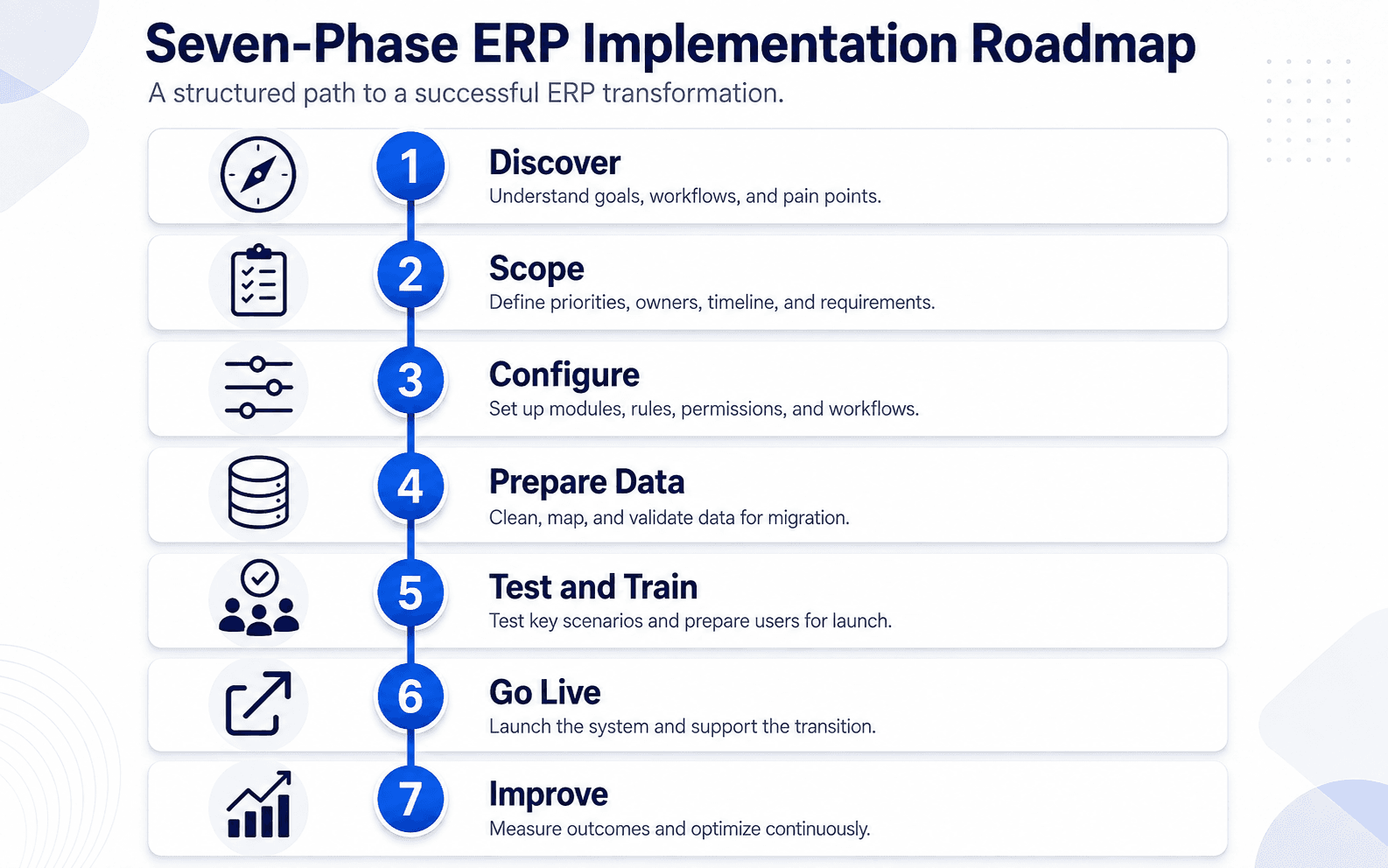
Phase 5: Test real scenarios and train users
Testing should mirror the business, not just confirm that screens open. Teams should run realistic scenarios: entering an order, checking availability, receiving goods, approving a purchase, creating an invoice, resolving an exception, and producing the reports leadership relies on.
User acceptance testing is where business owners confirm that the configured process works as expected. Training works best when it is role-based and close enough to go-live that users can retain what they learn. Warehouse staff, sales users, finance users, managers, and administrators do not need the same training.
Phase 6: Go live in a controlled way
Go-live is a transition, not the finish line. A controlled launch plan should confirm the data cutover, user access, support contacts, issue-escalation process, and the workflows that need close monitoring in the first days. Some organizations launch all in-scope teams at once; others roll out by location, company, business unit, or workflow.
Phase 7: Stabilize, measure, and improve
After go-live, the focus shifts to adoption and continuous improvement. The team can review unresolved issues, monitor data quality, identify training gaps, and compare the new workflow against the original business goals. This is a good time to plan the next phase: additional modules, advanced reporting, automations, portals, integrations, or process improvements.
What changes an Odoo ERP implementation timeline?
- Scope and number of modules: more connected workflows require more design and testing.
- Data quality: incomplete, inconsistent, or duplicate data takes time to clean and validate.
- Integrations: critical third-party systems add technical dependencies and testing needs.
- Customization: necessary custom work needs design, development, QA, and support planning.
- Internal availability: business owners need time to make decisions, test scenarios, and support training.
- Change readiness: a new process needs communication and user adoption, not only configuration.
These factors are why a credible ERP partner should discuss assumptions and dependencies rather than promise a generic fixed timeline before discovery.
A practical way to protect the project schedule
- Name an internal executive sponsor and day-to-day project owner.
- Prioritize the workflows that create the most business value.
- Keep the first release focused and defer lower-value requests.
- Clean and validate data before the final migration window.
- Give process owners time for testing and decisions.
- Train users by role and provide support immediately after launch.
- Treat post-go-live improvement as part of the plan, not as an afterthought.
Plan your Odoo ERP rollout with the right first phase
An Odoo ERP implementation timeline is most reliable when it is built around the business's actual workflows, scope, data, and decision-making capacity. A phased rollout is not a compromise; it is often the most practical way to create an adopted foundation and expand with confidence.
eBusiness Solutions helps growing businesses assess their processes, define a practical first release, plan data and integration work, and prepare teams for a successful Odoo rollout. Request an Odoo ERP assessment to map your priorities, implementation risks, and practical next steps.
Ready to explore Odoo ERP?
Talk with eBusiness Solutions about Odoo implementation, customization, migration, integration, and long-term support.
Book an Odoo ERP ConsultationFrequently Asked Questions
How long does an Odoo ERP implementation take?
There is no responsible one-size-fits-all answer. A focused first phase generally takes less time than a broad, multi-entity rollout with extensive customization and integrations. The most useful estimate comes after discovery, when scope, data, dependencies, and internal availability are understood.
Should every Odoo module be included in the first launch?
Usually, no. The first release should focus on the workflows that create the highest business value and need to work together from day one. Other modules and enhancements can be planned as later phases.
When should data migration begin?
Data preparation should begin early. The final migration occurs closer to go-live, but identifying data owners, cleanup needs, mapping rules, and validation criteria early prevents late surprises.
Does Odoo always require customization?
No. Odoo can be configured for many standard business workflows. Customization should be used where a documented business requirement cannot be met through configuration and where the additional value justifies the long-term maintenance responsibility.
Related Articles

Odoo ERP for Multi Location Service Businesses
See how a connected Odoo ERP setup can give multi-location service businesses clearer customer, scheduling, invoicing, and reporting workflows.

What to Know Before Moving Multiple Companies to Odoo
Learn what to share, what to keep separate, and how to plan an Odoo multi-company rollout around the way your businesses work.

How Odoo 19 AI Helps Teams Work Faster Without Losing Human Control
Learn how Odoo 19 AI can help operations, finance, and customer-facing teams work faster while people retain control of business decisions.