
Disconnected Systems Are Costing Your Business: When to Consolidate with Odoo ERP
Learn when disconnected tools, spreadsheet dependency, manual reporting, and rising SaaS costs signal that it is time to consolidate operations with Odoo ERP.

Most growing businesses do not plan to build a messy technology stack. It happens gradually. One team adds a CRM because sales needs better follow-up. Finance keeps accounting in a separate system. Operations relies on spreadsheets because inventory data is not reliable enough. Customer service tracks issues in another tool. Before long, leaders are managing the business through exports, manual updates, and meetings built around reconciling numbers.
Disconnected systems can feel manageable at first, especially when the company is small. But as order volume, headcount, locations, and customer expectations grow, those gaps start costing real money. Teams duplicate work. Reports arrive late. Software subscriptions pile up. Leaders struggle to see what is happening across the business until the problem has already affected customers, cash flow, or delivery performance.
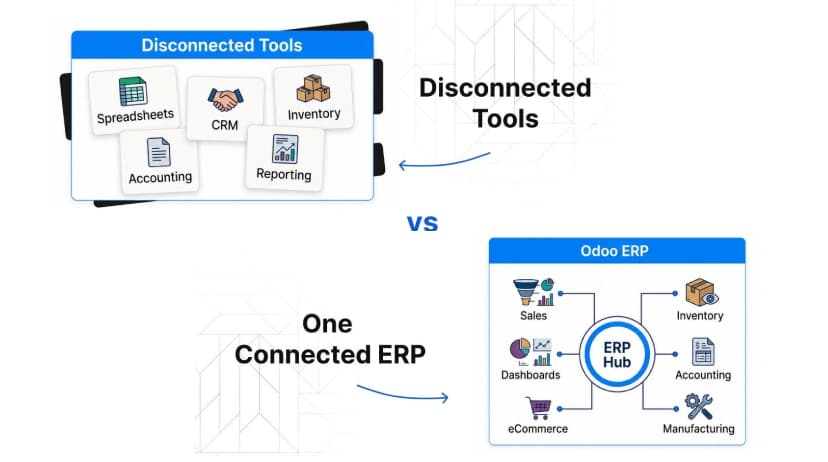
ERP system consolidation is the process of bringing core business functions into one connected platform. For many small and mid-sized companies, Odoo ERP offers a practical path toward consolidation because it is modular, flexible, and built to connect sales, inventory, accounting, purchasing, manufacturing, projects, and more. This article explains the warning signs that disconnected systems are costing your business and how to evaluate whether Odoo ERP is the right next step.
Why Companies End Up with Too Many Disconnected Tools
Fragmented systems usually start with good intentions. A department needs a faster way to solve a specific problem, so it adopts a tool that works for that team. The tool may be useful, affordable, and easy to deploy. The issue is that each department's local solution can create company-wide friction when it does not connect cleanly with the rest of the business.
Sales may close deals in one system, while finance waits for manual invoice details. Inventory may be updated in a warehouse spreadsheet, while customer service answers delivery questions from outdated information. Executives may receive separate reports from every department, each using different assumptions. No single team is doing something wrong. The system design simply has not kept up with the business.
Warning Signs Your Systems Are Costing the Business
The cost of disconnected systems is not always visible as one large expense. It often appears as repeated delays, small errors, and constant workarounds. Over time, these issues become a drag on growth.
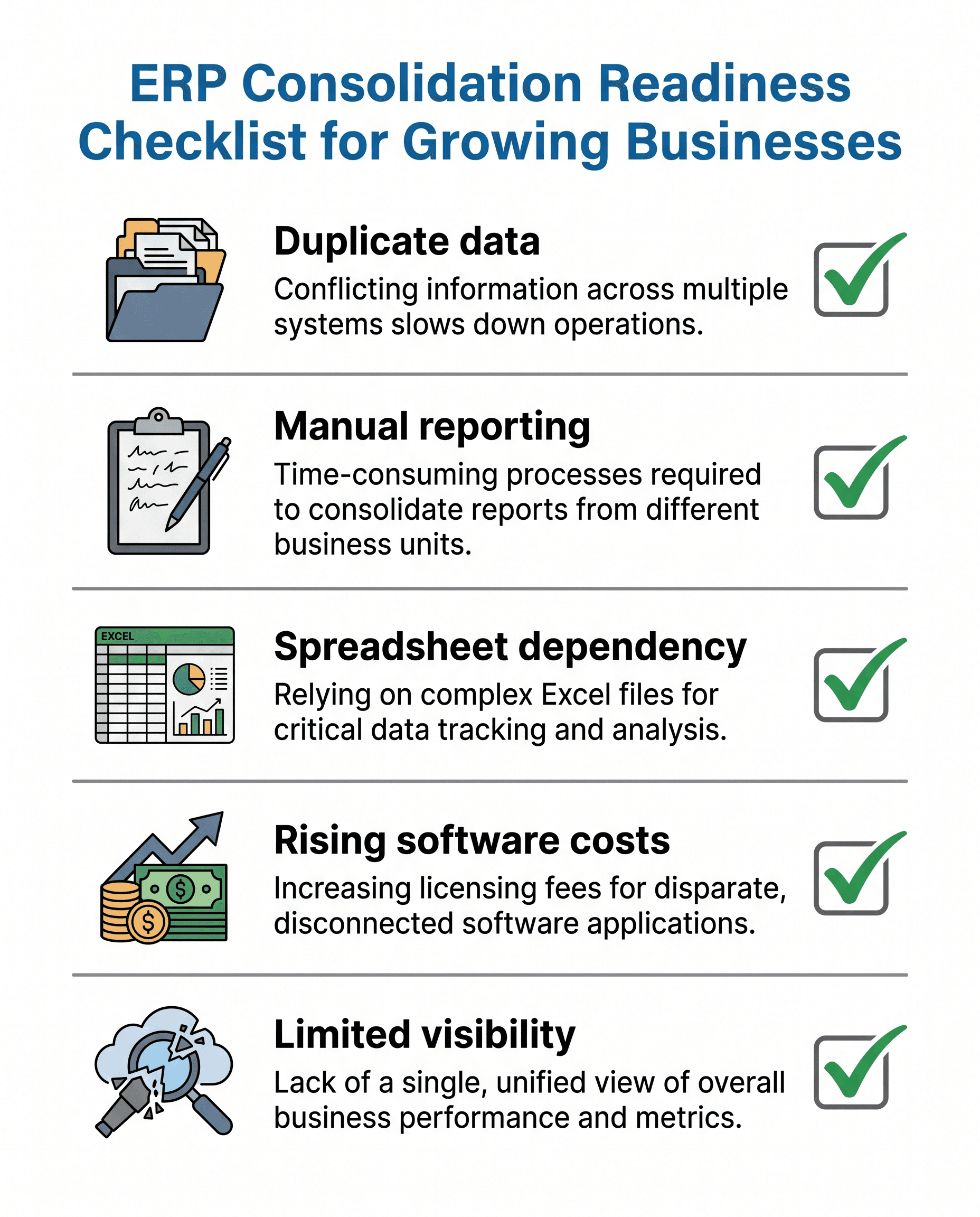
- Teams enter the same customer, order, product, or invoice data in multiple places.
- Leaders wait for manual reports before making operational decisions.
- Spreadsheets have become the unofficial system of record.
- Employees spend significant time reconciling exports between tools.
- Software costs keep rising, but business visibility is not improving.
- Customer updates require multiple internal messages before anyone can answer confidently.
| Business area | Common fragmentation problem | Consolidation opportunity |
|---|---|---|
| Finance | Manual invoice, payment, and reporting reconciliation. | Connect orders, invoices, payments, and reporting. |
| Inventory | Stock data differs across warehouse, sales, and purchasing tools. | Use shared inventory records and replenishment workflows. |
| Sales | CRM does not connect cleanly to quotes, orders, or delivery status. | Link CRM, sales orders, fulfillment, and customer records. |
| Operations | Teams rely on spreadsheets to coordinate work and status updates. | Create structured workflows with role-based visibility. |
How Fragmented Systems Affect Finance, Inventory, Sales, and Operations
In finance, disconnected systems make it harder to close the books, reconcile payments, track margins, and understand cash flow. If invoices, purchase orders, inventory adjustments, and customer records live in separate places, the finance team spends valuable time validating data instead of analyzing performance.
In inventory and operations, fragmented tools create uncertainty around stock availability, replenishment, purchasing, fulfillment, and delivery timelines. A business may technically have the data it needs, but if that data is spread across spreadsheets and isolated applications, teams cannot act on it quickly enough.
In sales and customer service, disconnected systems limit responsiveness. Sales teams may not know whether inventory is available. Service teams may not have order status or payment context. Leaders may not be able to connect pipeline, fulfillment, invoicing, and customer satisfaction in one view.
How Odoo ERP Consolidates Business Processes
Odoo ERP helps businesses consolidate operations by connecting applications around shared business records. Instead of forcing teams to pass information manually between separate tools, Odoo can support workflows where sales, inventory, accounting, purchasing, manufacturing, projects, and customer service all work from the same operational foundation.
A sales order can connect to inventory availability, purchasing needs, delivery steps, invoicing, and reporting. A customer record can connect to CRM activity, quotes, invoices, support tickets, and follow-up. A product record can connect to stock levels, vendors, costs, manufacturing rules, and ecommerce data. The result is not just fewer tools. The real value is fewer handoffs, fewer blind spots, and more trustworthy information.
What to Evaluate Before Moving to One ERP System
Consolidation should begin with process clarity, not software selection alone. Before moving to one ERP system, leadership should identify which workflows create the most friction, which reports cannot be trusted, which tools are business-critical, and which data needs cleanup before migration.
Companies should also decide whether they need a phased rollout. Many organizations start with high-impact areas such as CRM, sales, inventory, purchasing, and accounting, then expand into manufacturing, projects, ecommerce, HR, or custom workflows later. A phased approach can reduce implementation risk while still moving the business toward a connected operating model.
Why Advisory and Process Planning Matter
ERP projects struggle when a company simply recreates messy workflows inside a new platform. Advisory and process planning help prevent that mistake. The right implementation partner should help leadership separate what the business truly needs from what the business has only done out of habit.
eBusiness Solutions approaches Odoo ERP implementation as a business improvement initiative, not just a technical deployment. That means mapping processes, designing practical workflows, guiding module selection, supporting integrations, training users, and continuing to optimize after go-live.
Final Thoughts
Disconnected systems can quietly slow a business long before they create a dramatic failure. If teams rely on duplicate data entry, manual reports, spreadsheet workarounds, and expensive tool combinations, the company may already be paying the price of fragmentation.
Odoo ERP gives growing businesses a way to consolidate operations into one flexible platform while still adding capabilities over time. If your business is ready to reduce system complexity and improve visibility across departments, eBusiness Solutions can help evaluate the right Odoo ERP roadmap.
Ready to explore Odoo ERP?
Talk with eBusiness Solutions about Odoo implementation, customization, migration, integration, and long-term support.
Book an Odoo ERP ConsultationFrequently Asked Questions
What is ERP system consolidation?
ERP system consolidation means bringing core business processes and data from multiple disconnected tools into one connected ERP platform.
How do I know if my business has too many software tools?
Common signs include duplicate data entry, manual reporting, spreadsheet dependency, rising software costs, and difficulty getting a reliable view of operations.
Can Odoo replace spreadsheets?
Odoo can replace many operational spreadsheets by moving structured workflows into connected applications for sales, inventory, accounting, purchasing, manufacturing, and more.
Does ERP consolidation need to happen all at once?
Not always. Many businesses use a phased implementation so high-impact workflows go live first while other modules are added later.
Why work with an Odoo ERP implementation partner?
A partner can help map processes, select the right modules, migrate data, configure workflows, train users, and reduce implementation risk.
Related Articles

Odoo ERP for Multi Location Service Businesses
See how a connected Odoo ERP setup can give multi-location service businesses clearer customer, scheduling, invoicing, and reporting workflows.

What to Know Before Moving Multiple Companies to Odoo
Learn what to share, what to keep separate, and how to plan an Odoo multi-company rollout around the way your businesses work.

How Odoo 19 AI Helps Teams Work Faster Without Losing Human Control
Learn how Odoo 19 AI can help operations, finance, and customer-facing teams work faster while people retain control of business decisions.