
QuickBooks to Odoo Reconciliation Checks Before Go-Live
Check balances, open invoices, payment allocations, and reporting before moving from QuickBooks to Odoo, with a worked example for finance teams.
Your QuickBooks to Odoo reconciliation should check the balances you're moving and the records behind them. Start by agreeing on the cutoff date, report settings, and evidence finance will use to approve the migration. Then compare the reports and trace a few awkward transactions all the way through.
You might find that receivables total the right amount, yet a payment is attached to the wrong invoice. That's a problem the collections team will meet when it calls a customer. A useful migration check needs to answer both questions. Do the totals agree, and can your team explain which invoices are still open?
Agree on the migration scope and cutoff
Decide what you're bringing into Odoo. Your scope might include opening balances and open transactions, or it might include several years of invoices, bills, payments, and journals. Write that down before comparing record counts. The expected result depends on what the project includes.
Choose one cutoff date and a plan for transactions entered after the source export. If someone posts another supplier bill in QuickBooks while you're testing, record how it will reach the final migration. Give the final export a clear version so everyone compares the same records.
Keep the source reports with their date range, currency, and accounting basis. Include the company and any filters that affect the result. Have finance approve the account mapping, too. When several source accounts map to one Odoo account, the reconciliation needs to show how those amounts were combined.
Compare the balances your team relies on
Start with the trial balance, which lists the balances in your accounts. Then check bank and cash accounts, customer receivables, supplier payables, and profit and loss for the agreed periods. Where you've moved full history, agree which historical periods finance will review and how the remaining scope will be validated.
| Check | Compare | Evidence to keep |
|---|---|---|
| Trial balance | Source accounts against the approved Odoo account mapping | Dated reports and mapping |
| Receivables and payables | Open amounts by customer or supplier and by document | Aged balances and open-item detail |
| Bank and cash | Ledger balances at the same cutoff | Source and target journal totals |
| Profit and loss | The same period, basis, currency, and filters | Reports and explanations for differences |
A difference can come from the migration or from the way a report was run. Check the period and mapping before changing transactions. Keep an issue log with the source reference, Odoo reference, difference, owner, and resolution. That gives finance a way to review the fix.
Check which invoice each payment settled
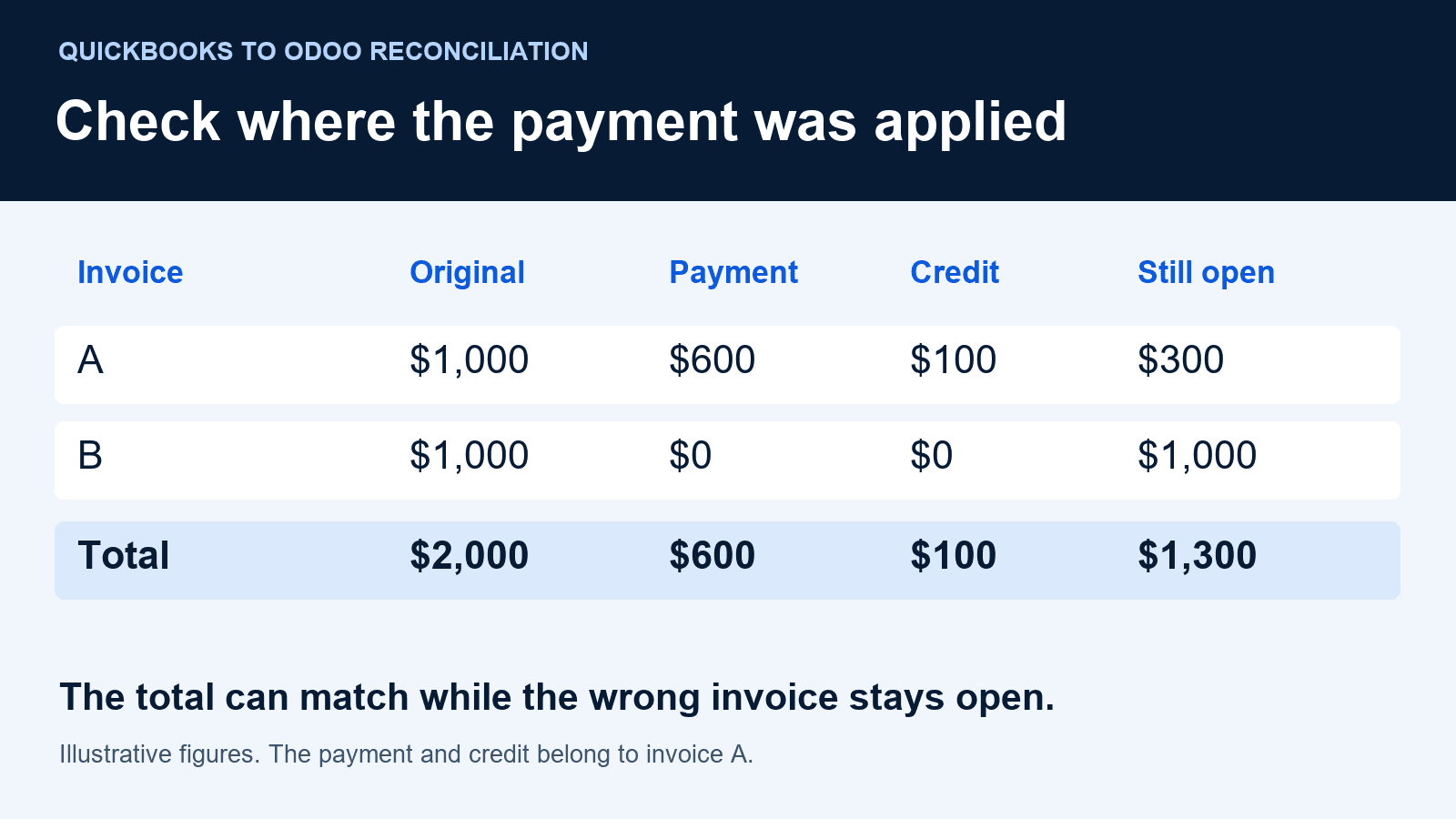
Take two invoices for the same customer. Both are for $1,000. In this illustrative example, a $600 payment and a $100 credit belong to invoice A. Invoice B is still fully open.
| Document | Original amount | Payment | Credit | Still open |
|---|---|---|---|---|
| Invoice A | $1,000 | $600 | $100 | $300 |
| Invoice B | $1,000 | $0 | $0 | $1,000 |
| Total | $2,000 | $600 | $100 | $1,300 |
If the migration applies the payment to invoice B, total receivables can still be $1,300. The outstanding balance on each invoice changes, though. Your team could chase the wrong overdue item or spend time explaining a statement to the customer.
Use the source transaction references and recorded payment relationships to verify the allocation. QuickBooks Online exposes linked transaction details through its API. Your migration partner should explain how those links were extracted, matched to Odoo records, and checked. Have finance review ambiguous matches before they're treated as settled.
Test the records that need extra attention
Choose examples that reflect your books. Include partial payments, credit notes, unapplied payments, split settlements, and two invoices with the same amount. If you use foreign currencies, agree how the source and target balances will be compared and who will review exchange differences.
For each example, open the source record and its Odoo counterpart. Check the customer or supplier, original reference, amount, remaining balance, and linked payments. Then run the statement or aged balance report that the team will use after launch. Record the result so someone else can repeat the check.
In our published QuickBooks-to-Odoo case study, the team moved 24 years of accounting history and extracted 6,771 payment allocation records. That work included checking annual balances and keeping ambiguous matches for accountant review. It gives finance teams a concrete example of the evidence a migration can require.
Check the reports you need after launch
Ask finance which reports it needs to use on the first working day. Save a source copy and agree what the Odoo version should show. If cash-basis reporting matters, include it in the test plan and demonstrate the required output on the target version and configuration.
The case study used a custom cash-basis report checked against seven accountant-approved checkpoints. That was part of that project's scope. For your migration, agree early whether the reports you need are covered by the planned configuration or require additional work.
Also decide how the team will retrieve older records. If some history stays in the source system or an archive, test access with the people who answer customer, supplier, and finance queries.
Give finance a clear sign-off pack
Bring the agreed reports, mappings, sample checks, and issue log into one review. The finance owner should be able to see what was tested, what matched, and which items still need a decision. Assign every open item an owner and an agreed next step.
Run the final checks again after the production import. A successful rehearsal gives you an expected result to compare with the final dataset. Keep the evidence alongside the approved cutoff and the process for handling any late source transactions.
If you're planning a QuickBooks-to-Odoo migration, eBusiness Solutions can help define the data scope, reconciliation checks, and reporting requirements. We're based in Columbus, Ohio and work with businesses across the U.S. Bring a recent trial balance and one payment that takes your team time to explain. Book a free ERP assessment to discuss what your migration needs.
Ready to explore Odoo ERP?
Talk with eBusiness Solutions about Odoo implementation, customization, migration, integration, and long-term support.
Book an Odoo ERP ConsultationFrequently Asked Questions
What should match after a QuickBooks to Odoo migration?
For the agreed scope, compare the mapped trial balance, bank and cash balances, receivables, payables, and required financial reports. Check important open documents and payment allocations as well as the totals.
Can total receivables match while individual invoices are wrong?
Yes. Applying a payment to a different invoice for the same customer can leave the total unchanged while changing each invoice's open amount. Compare the document references and settlement links.
Do we need to migrate all historical transactions?
That depends on your reporting, access, and business requirements. Agree the scope with finance and your implementation partner, then define how the records in that scope will be checked.
Related Articles
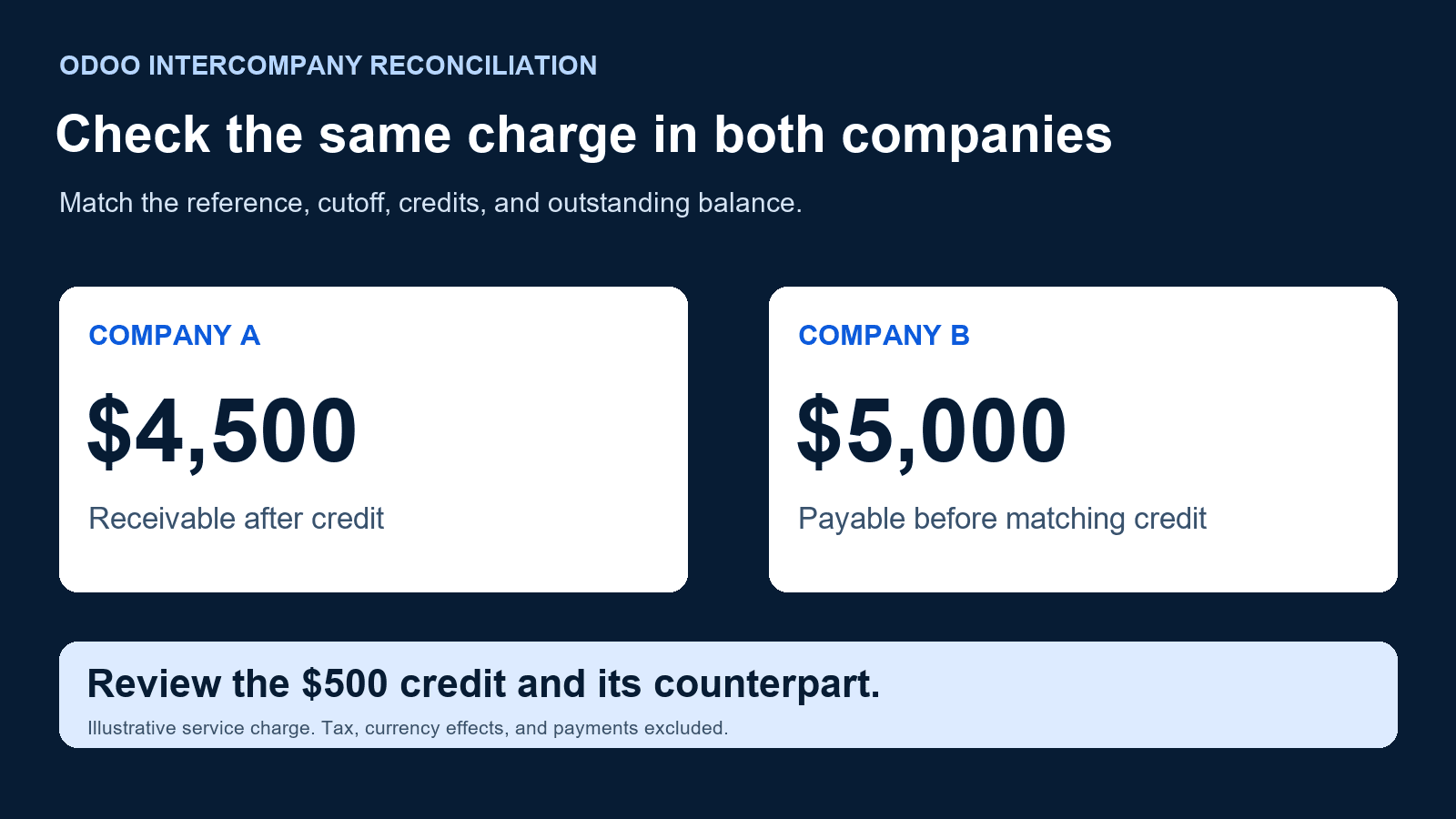
Odoo Intercompany Reconciliation for Month-End
Compare intercompany invoices, credits, and outstanding balances in Odoo before month-end, with a worked example and a practical review checklist.

Odoo ERP for Multi Location Service Businesses
See how a connected Odoo ERP setup can give multi-location service businesses clearer customer, scheduling, invoicing, and reporting workflows.

What to Know Before Moving Multiple Companies to Odoo
Learn what to share, what to keep separate, and how to plan an Odoo multi-company rollout around the way your businesses work.