
Odoo Intercompany Reconciliation for Month-End
Compare intercompany invoices, credits, and outstanding balances in Odoo before month-end, with a worked example and a practical review checklist.
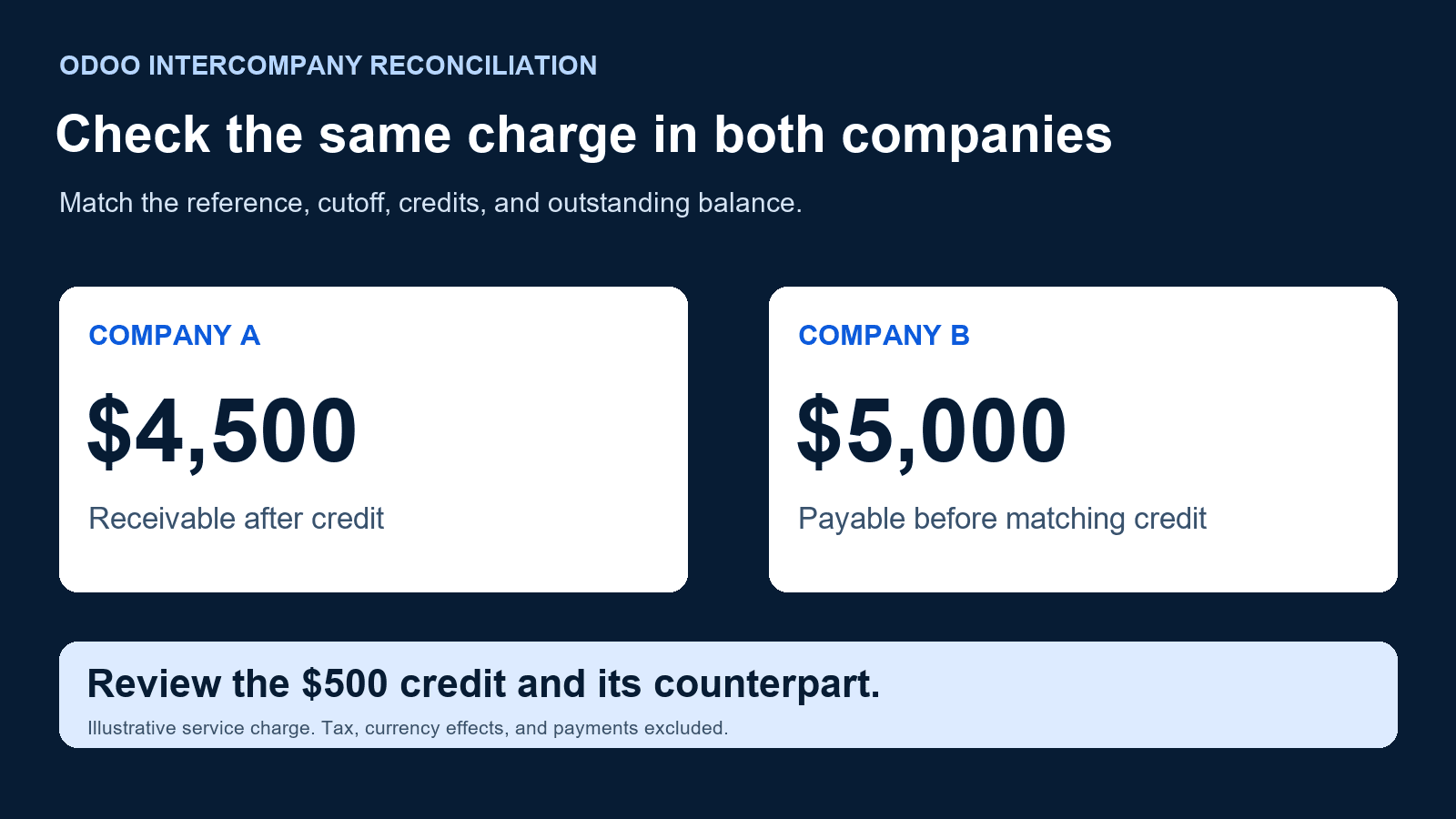
Odoo intercompany reconciliation means checking that transactions between your companies agree on both sides. Use the same cutoff, match the source documents, and work through any differences before the finance team signs off the period.
That can sound straightforward until a credit reaches one company before the other, or a bill is still waiting for review. Start with one company pair and one transaction. You need to be able to explain what each business recorded and what remains outstanding.
Check the setup behind the transaction
Odoo 19 can create counterpart documents for intercompany transactions when the relevant options are configured. For example, posting an invoice in one company can create a vendor bill in the other. The available behavior depends on the settings, installed applications, and your implementation.
Before your first close, ask the implementation team to show which documents are created, what triggers them, and whether they arrive as drafts or validated records. Check who reviews exceptions. Odoo's multi-company documentation covers the configuration options and calls out the need for correct fiscal positions and localizations.
Then ask both company owners to run a test using their normal access. Include a credit and a disputed charge. Keep the original references so finance can connect each adjustment to the transaction that caused it.
Agree on the cutoff and company pair
Pick the companies you're comparing and the date you're closing through. Save the receivable detail from the selling company and the payable detail from the buying company. Use the same agreed currency basis and include the document references.
Confirm that both extracts contain the entries you intend to review. A draft bill and a posted bill can affect the comparison differently. If the amounts don't agree, check whether both teams are looking at the same posting status and period before treating the difference as an error.
For a group with several businesses, repeat this by company pair. Give each pair an owner on both sides and a reviewer who can approve the outcome. A shared tracker can show which pairs are complete and which are waiting for a decision.
Work through a missing credit
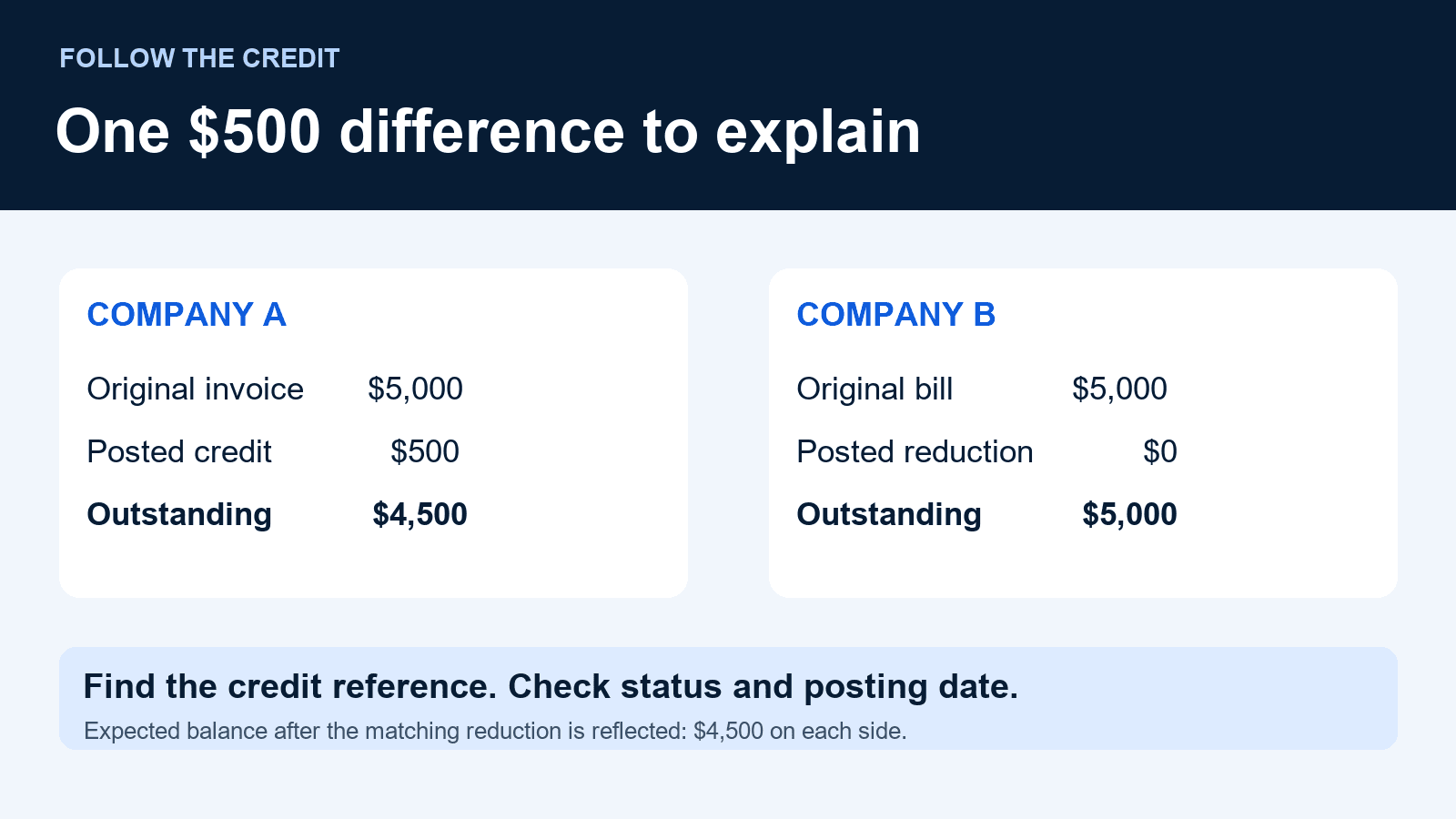
Here's an illustrative example with no tax, foreign currency, or payments involved. Company A invoices Company B for $5,000. Both businesses record the original charge in the period. Company A later posts a $500 credit, but Company B's matching credit hasn't reached its posted accounts.
| Record at the cutoff | Company A | Company B |
|---|---|---|
| Original charge | $5,000 receivable | $5,000 payable |
| Posted credit | $500 reduction | $0 reduction |
| Outstanding balance | $4,500 receivable | $5,000 payable |
| Difference to investigate | $500 | $500 |
Find the credit reference and check what happened in Company B. The counterpart might be missing, sitting in draft, or dated in another period. The right next step depends on the cause and your finance team's policy. Record that explanation and have the responsible owner approve the correction.
Once the corresponding $500 reduction is correctly reflected on both sides at the agreed cutoff, the example should show a $4,500 receivable and a $4,500 payable. Keep the matching documents with the review. That's the evidence the next person will need if the balance is questioned.
Match documents before comparing only totals
Use a reference that the two companies can share. Record the issuing company, receiving company, original invoice or bill, credits, currency, and outstanding amount. Match the counterpart documents before summarizing the difference by company.
Equal totals can hide two unrelated errors. One extra charge and one missing charge of the same value can cancel each other out in the summary. Document-level matching gives the reviewer a way to see whether the balances are supported by the same transactions.
Agree how to handle disputed charges, partial settlements, and payments received near the cutoff. Give each open difference a reason, an owner, and a review date. Your team should be able to tell which items are waiting on a business decision and which need a system or data fix.
Use a short checklist for common differences
| What you find | What to check next |
|---|---|
| Counterpart missing | The original document, configured trigger, and counterpart creation |
| One document is in draft | The review owner and expected validation step |
| Credit missing on one side | The original reference, credit counterpart, and posting date |
| Different outstanding amounts | Payments, credits, and settlement references on each side |
| Different currencies or values | The agreed comparison basis and finance review of exchange differences |
| Repeated mismatch | The source setup, access, or workflow causing the issue |
If goods move between the companies, include the warehouse team when the difference concerns a delivery or receipt. Check the physical movement and the accounting records together. A goods transaction needs more evidence than the service-charge example above.
Keep recurring issues visible after close. If the same counterpart is late every month, review the approval route or trigger with the people who use it. Fixing the source of the delay can reduce the number of exceptions finance has to explain next time.
Hand the agreed balances to the group reporting owner
Once each company pair has been reviewed, save the matched detail and the remaining exceptions with the reviewers' decisions. Give the group reporting owner the information they need to apply the group's consolidation policy, including any required eliminations and adjustments.
Have finance demonstrate the required group report during testing. Viewing several companies together still leaves questions about how the report treats transactions within the group. Agree the required output and its review process with the person responsible for it.
If you're working out the wider structure, our Odoo multi-company planning guide covers company design, shared records, permissions, and rollout. Use that alongside a real intercompany invoice, its credit, and the report your group needs each month.
eBusiness Solutions helps teams configure and test Odoo workflows around their finance and operations processes. We're based in Columbus, Ohio and support businesses across the U.S. Book a free ERP assessment and bring one company pair whose balances take too long to explain.
Ready to explore Odoo ERP?
Talk with eBusiness Solutions about Odoo implementation, customization, migration, integration, and long-term support.
Book an Odoo ERP ConsultationFrequently Asked Questions
Does Odoo create intercompany invoices and bills automatically?
Odoo 19 supports creating counterpart documents when the relevant intercompany settings are enabled. Ask your partner to verify the trigger and document status in your own configuration.
Why might intercompany balances differ in Odoo?
Common checks include missing counterparts, draft documents, posting dates, credits, settlements, and currency differences. Start with the same company pair and cutoff, then compare individual references.
What should finance keep as reconciliation evidence?
Keep the dated company extracts, matched invoice and credit references, explanations for differences, approved corrections, and the owners' review decisions.
Related Articles

QuickBooks to Odoo Reconciliation Checks Before Go-Live
Check balances, open invoices, payment allocations, and reporting before moving from QuickBooks to Odoo, with a worked example for finance teams.

Odoo ERP for Multi Location Service Businesses
See how a connected Odoo ERP setup can give multi-location service businesses clearer customer, scheduling, invoicing, and reporting workflows.

What to Know Before Moving Multiple Companies to Odoo
Learn what to share, what to keep separate, and how to plan an Odoo multi-company rollout around the way your businesses work.