
Why Purchase Order Approvals Get Stuck and How to Fix Them
Find out where purchase requests get stuck and how clear approval rules, backup approvers and an ERP workflow can help your team move them forward.

The purchase request is ready. The supplier is waiting. Someone has already asked when the order will go out. But the team is still searching for the approval email.
It is a familiar kind of delay. The request might be missing a detail, waiting with the wrong person, or sitting in an inbox while someone is away. Each situation needs a different response. Sending another reminder does not always help.
A clear purchase order approval process gives people a way to see what is waiting, who needs to decide, and what happens next. Before changing the software, it helps to agree those rules.
Find out what the request is waiting for
Start with a handful of recent purchases that took longer than expected. Follow each one from the original request to the order sent to the supplier. Look at where the work stopped and what finally moved it forward.
Was the supplier quote missing? Did finance need a cost centre? Was the manager checking whether the purchase was necessary? Or had everyone assumed someone else would approve it?
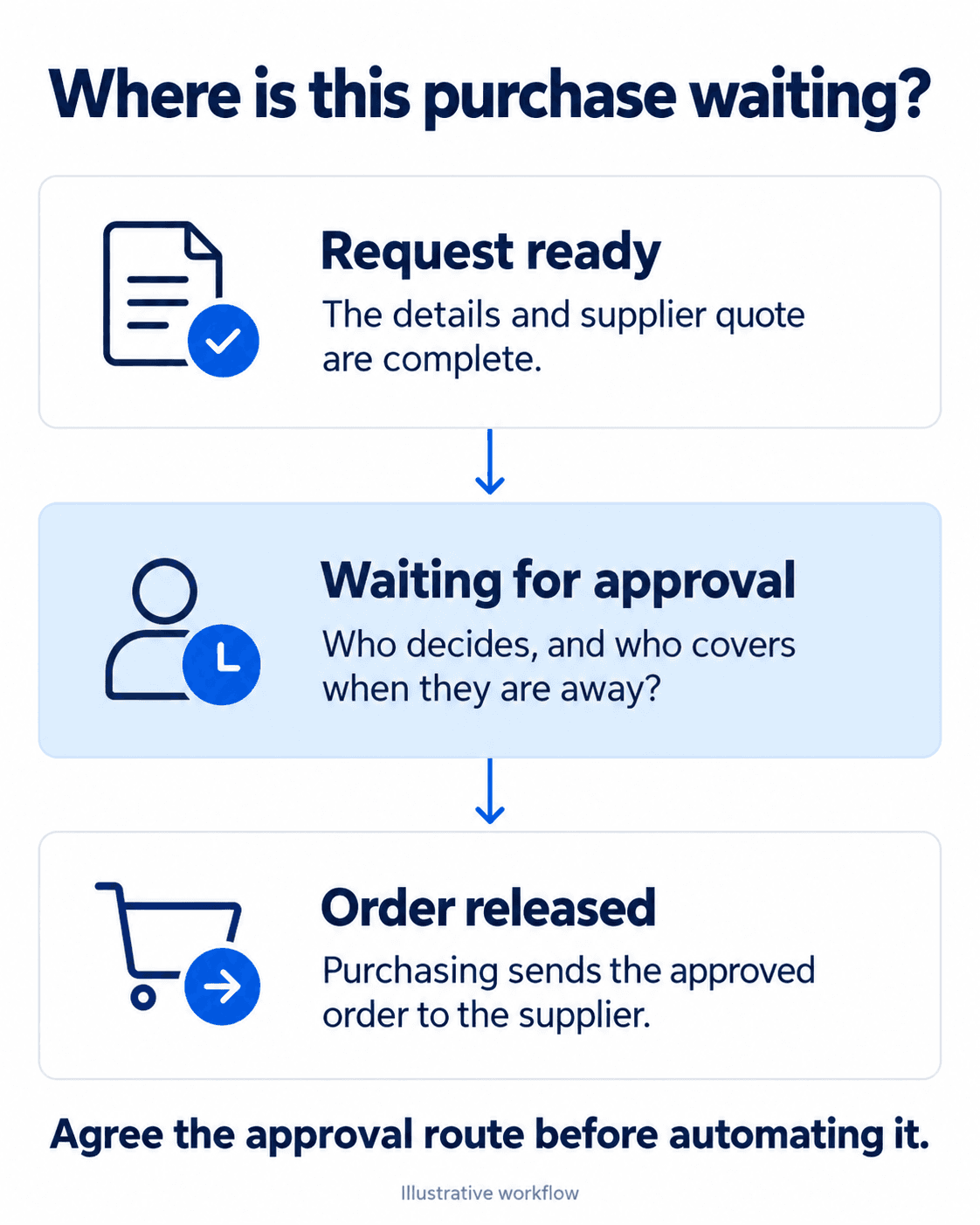
Keep those reasons separate. A request waiting for information should go back to the person who can provide it. A complete request waiting for a decision needs an approver. Calling both situations “pending” makes it harder to know who should act.
It also helps to distinguish an internal purchase request from the purchase order that purchasing sends to the supplier. Your business may approve the request, the order, or both. Be clear about what each approval controls so the same decision does not get repeated without a reason.
Give approvers the details they need
Ask the people who review purchases what they need to make a decision. A useful request will usually explain what the team wants to buy, why it is needed, the expected cost, the supplier and when it is required. Include the quote and the relevant department or project.
The detail should suit the purchase. Reordering an agreed item may need less explanation than choosing a new supplier or buying equipment. A software subscription may need a separate review of access, data or contract terms.
Decide which details are required before a request enters approval. If someone sends it back, they should say what is missing. “Please add the supplier quote” is much easier to act on than “Needs review.”
This is also a good time to agree who checks completeness. If every approver repeats that check, the team may spend more time passing the request around than deciding whether to buy.
Make the approval route clear
Write down who can approve each type of purchase and when it needs another level of review. The route might depend on the amount, department, budget status or supplier. Use the authority limits your business has agreed rather than copying thresholds from another company.
For example, a routine purchase within an approved budget might follow one route. An unbudgeted item might also need finance review. A new supplier could need a separate setup check before purchasing releases the order. These are examples of rules to discuss, not a policy every business should adopt.
Give each approval a purpose. The department manager might confirm the need, while finance checks the budget. Make that distinction visible so people understand what they are being asked to decide.
Where policy requires separate people to request and approve a purchase, preserve that separation. Faster processing should still leave a clear record of who authorised the spend.
Name a backup before someone is away
An approval route is incomplete if it only works when everyone is available. Agree who covers each approver and what authority the backup has. Make the dates of any temporary delegation clear.
The backup should use their own account and have the access needed to review the request. Passing around a manager’s login makes it harder to know who made the decision.
Agree what happens when a request waits beyond your expected response time. A reminder can go to the approver first, followed by an escalation to the agreed person. Escalation should bring the request to someone’s attention. It should not silently approve the purchase or bypass a required check.
Before leave starts, review the open queue. A named backup can still miss work if nobody tells them which requests need attention.
Keep changes and exceptions visible
Purchases can change after approval. A supplier may revise a price, the team may increase the quantity, or the delivery date may move. Decide which changes need another review before they happen.
A change to the supplier or total value may affect the original decision. A minor delivery update may not. The right rule depends on your controls, but the record should show what changed and whether someone reviewed it.
Urgent purchases need an agreed route too. Record why the request is urgent, who can authorise it and what evidence must be kept. If urgent requests become routine, review the cause rather than making the exception the default process.
Put the agreed rules into the ERP
Once the team can explain the route on paper, check how the ERP can support it. Look for the ability to route requests, show the current owner, record decisions and notify the next person. Confirm what your chosen system supports before promising a particular automation.
The workflow should also make a returned request easy to understand. The requester needs to see what to fix, and the approver needs to know when the updated version is ready. Notifications are useful only when they reach someone who can act.
Test the process with a normal request and an exception. Include an absent approver and a change after approval. Ask purchasing and finance to follow the same examples, including the point when the order goes to the supplier.
After launch, review the requests that still wait. Track the time spent at each stage, along with how often requests come back for missing information. Use that evidence to adjust the process. A shorter queue is useful, but the team should still be able to explain each decision.
An example approval routing worksheet
Use the worksheet below to discuss your own route. The roles are illustrative. Your team should set the actual authority limits and confirm who can act as a backup.
| Request type | Details needed | Approval route | Backup and exception |
|---|---|---|---|
| Routine purchase within budget | Item, quote, cost centre and required date | Authorised budget owner, then purchasing releases the order | Named delegated approver within their authority |
| Unbudgeted equipment | Business reason, full cost and supplier quote | Department owner and finance under the agreed policy | Escalate to the authorised decision maker if cover is unavailable |
| New supplier | Purchase details and supplier setup information | Budget approval plus the required supplier checks | Authorised cover for each check before order release |
The useful outcome is a route the team can explain without searching old email threads. Start with one common type of purchase, test it with the people involved and expand from there.
Want to map your approval process before changing the system? Talk to eBusiness Solutions about your purchasing workflow and ERP requirements.
Need a clearer CRM or ERP process?
Talk with eBusiness Solutions about connecting customer follow-up, sales, operations, and reporting around the way your team actually works.
Discuss Your CRM or ERP ProcessFrequently Asked Questions
Why do purchase order approvals get delayed?
A request may be missing information, waiting with the wrong person, or held up because an approver is away. Identify what is missing or who needs to decide before sending another reminder.
What should a purchase approval request include?
Include what the team wants to buy, why it is needed, the expected cost, the supplier quote, the required date and the relevant department or project. Agree any additional details for the type of purchase.
What should happen when an approver is away?
Assign a named backup with the appropriate authority and access. Review open requests before leave and record who makes each decision.
Related Articles

Why Sales Leads Go Quiet and How to Build a CRM Follow Up Process
A practical CRM follow-up process gives every open lead a clear owner, next action, and date so promising enquiries do not disappear between inboxes and systems.