
Your Business Is Growing. Why Is Your Team Still Copying Data Between Systems?
See where customer and order details are entered repeatedly, then choose a practical integration, ERP change or smaller improvement.

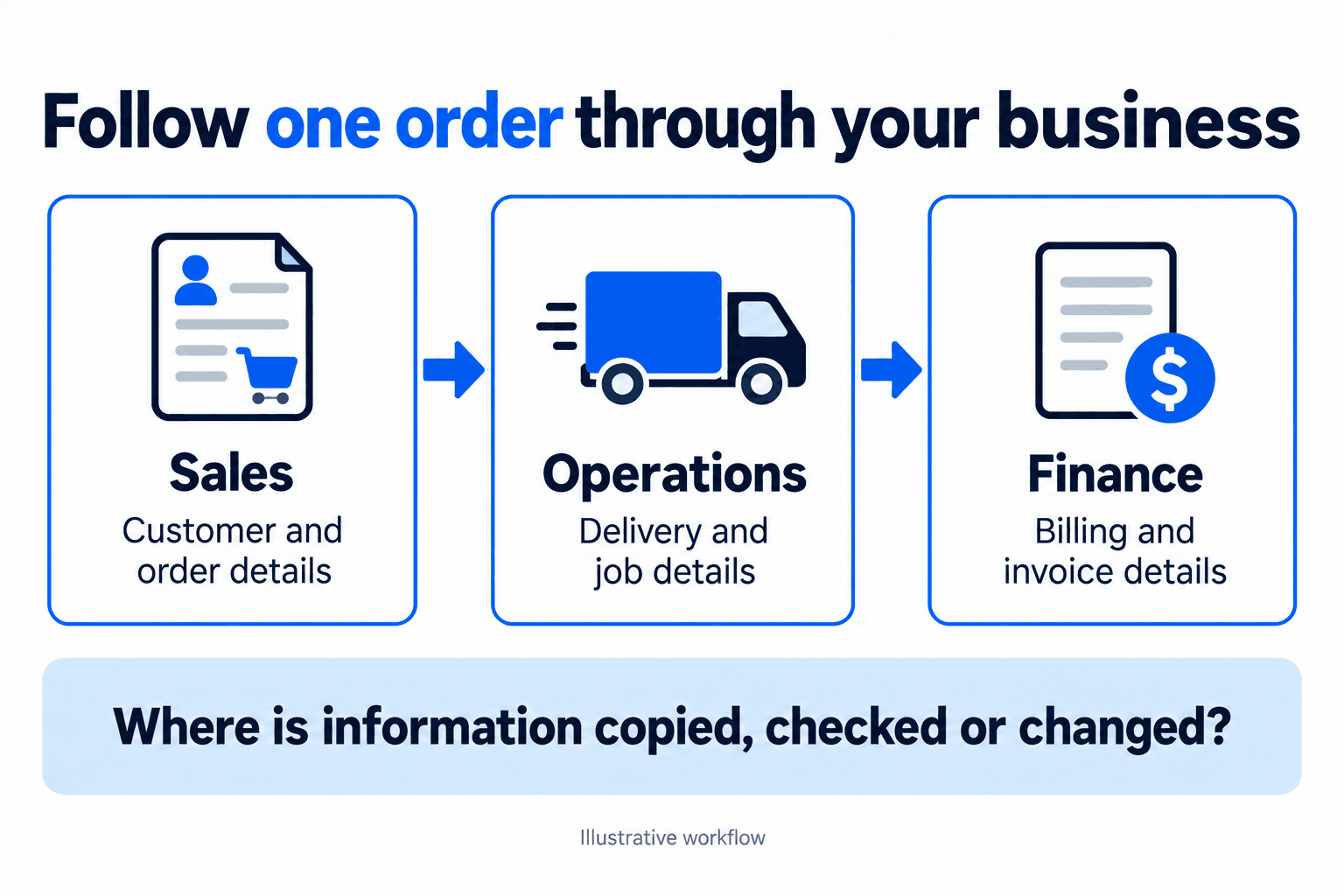
Sales enters a new customer in the CRM. Operations adds the same details to a job tracker. Finance creates another customer record before sending the invoice. Later, the customer changes their billing address, and someone has to remember which places need updating.
Each step may take only a few minutes. But as more work comes in, those minutes turn into a regular part of someone's day. The team is also checking whether the copies still match, chasing missing details and correcting records when they do not.
If this sounds familiar, start by following one customer or order through the business. You do not need to decide on a new ERP immediately. First, understand where information is being entered twice and what would need to change for the next team to use it reliably.
How the extra work builds up
Separate tools can make sense when a business is small. The sales team chooses a CRM, finance keeps its accounting software, and operations uses a spreadsheet that fits the way it works. Each tool solves a real problem.
The gaps appear when the same information has to travel between them. Someone exports a file, another person checks it, and a third person types the details into the next system. Over time, this becomes the normal way an order gets processed.
Growth puts more pressure on that arrangement. A process that was manageable with a small number of orders may become difficult when the volume increases or the person who usually handles the transfer is away. Adding another spreadsheet can help temporarily, but it creates another place to keep up to date.
The question to ask is straightforward: which parts of this work require a person's judgment, and which parts simply repeat information the business already has?
Follow one order through the business
Pick a recent, ordinary order. Sit with the people who handled it and trace what happened from the first customer record to delivery and invoicing. Look at the actual screens and files rather than relying only on the documented process.
Write down where each key detail first appears, where it is copied and who makes the transfer. Include the customer name, delivery details, order reference and agreed amount where relevant. Notice any extra steps that happen outside the main systems, such as an email asking finance to create an account.
Then follow a change. What happens if the delivery address is corrected or the customer asks for a different invoice contact? The original order may move smoothly while later updates depend on someone remembering to send a message.
Ask the team what they have to check before trusting a record. If finance regularly compares a spreadsheet against the CRM, find out what tends to differ. That check may be protecting the business from a real problem. Understand it before trying to remove it.
Agree which record owns each detail
Connecting two systems will not resolve a disagreement about which information is correct. The team first needs to decide where each detail is maintained and who can change it.
For example, sales may own the commercial contact in the CRM while finance controls the legal billing name in the accounting system. Those fields serve different purposes. Treating them as interchangeable can create confusion even when the data moves automatically.
Use a consistent customer or order identifier to help match records. Agree how the team handles duplicate customers, missing information and corrections. A business name alone may not be enough to distinguish two accounts or recognise an existing customer entered with a slightly different spelling.
Also decide when information is ready to move. A draft quote should not automatically become an approved order simply because the records are connected. Keep the reviews and approvals that your process requires, and make the transfer happen at the agreed point.
Choose the smallest useful change
Once the team understands the repeated work, compare the options against that specific problem. Sometimes the current software already has a suitable connector or import feature. Sometimes a shared ERP can bring several related activities into one system. In other cases, a custom connection is needed because the process or application is unusual.
Keeping existing tools and connecting them may suit a business where each team is happy with its software. Check which information can move, in which direction and how updates are handled. A connection that creates a customer record may not also update it later or carry across every field you need.
An ERP may be worth considering when several teams are repeatedly rebuilding the same order or transaction. Look at how well it supports the work, what would change for users and how existing data would move. A shared system still needs clear responsibilities and good information.
For a process that runs infrequently, a controlled import may be enough. Compare the time saved with the cost of building, monitoring and maintaining a connection. The right first step is the one that solves a worthwhile problem the team can clearly describe.
Plan for the records that do not go through
Discuss the awkward cases before a connection is built. What should happen when a required field is missing, the destination system is unavailable or a record has already been sent? Someone needs to be able to see the problem and know what to do next.
Ask how failed transfers will be reported and who will review them. Confirm how a corrected record can be sent again without creating a duplicate. These details are part of making the process dependable; a demonstration using one clean record is only a starting point.
Access matters too. Share only the fields the receiving system needs and agree who is allowed to view or change them. Keep credentials in approved company tools and confirm who will maintain the connection when people or software change.
Consider a hypothetical service business that copies approved customer orders from its CRM into a delivery application. The team agrees that only approved orders should transfer. It keeps the same order reference in both systems and assigns operations to review any rejected record. The useful outcome is a defined process for both normal orders and exceptions.
Check whether the work actually gets easier
Start with one process and a manageable group of records. Before changing it, observe how much time the team spends entering, checking and correcting the information. Include the work that happens after the initial transfer, such as resolving an invoice mismatch.
After the change, review the same activities. Can the receiving team use the record without rebuilding it? Are corrections visible? Has the repeated work reduced, or has it moved into a new queue that someone still has to manage?
Ask the people doing the work to explain what has improved and what they still have to work around. Use that feedback before expanding the connection to other teams or processes.
Growing businesses have enough new work to manage. Finding one place where the same information is entered repeatedly gives you a concrete starting point for improving the systems around that work.
If your team is moving the same customer or order details between applications, eBusiness Solutions can help review the process and assess whether an integration, an ERP change or a smaller improvement fits the need. Bring one example of the repeated work to the conversation.
Need a clearer CRM or ERP process?
Talk with eBusiness Solutions about connecting customer follow-up, sales, operations, and reporting around the way your team actually works.
Discuss Your CRM or ERP ProcessFrequently Asked Questions
Related Articles

A Sales to Operations Handoff Checklist for New Customers
Give delivery the context it needs before kickoff. Use six handoff fields to pass on customer scope, commitments, open questions and ownership.

Why Purchase Order Approvals Get Stuck and How to Fix Them
Find out where purchase requests get stuck and how clear approval rules, backup approvers and an ERP workflow can help your team move them forward.

Why Sales Leads Go Quiet and How to Build a CRM Follow Up Process
A practical CRM follow-up process gives every open lead a clear owner, next action, and date so promising enquiries do not disappear between inboxes and systems.