
ERP User Acceptance Testing Checklist Before Go-Live
Test the work your teams will do on day one with a practical ERP checklist and a worked Odoo example for purchasing, inventory, and finance.

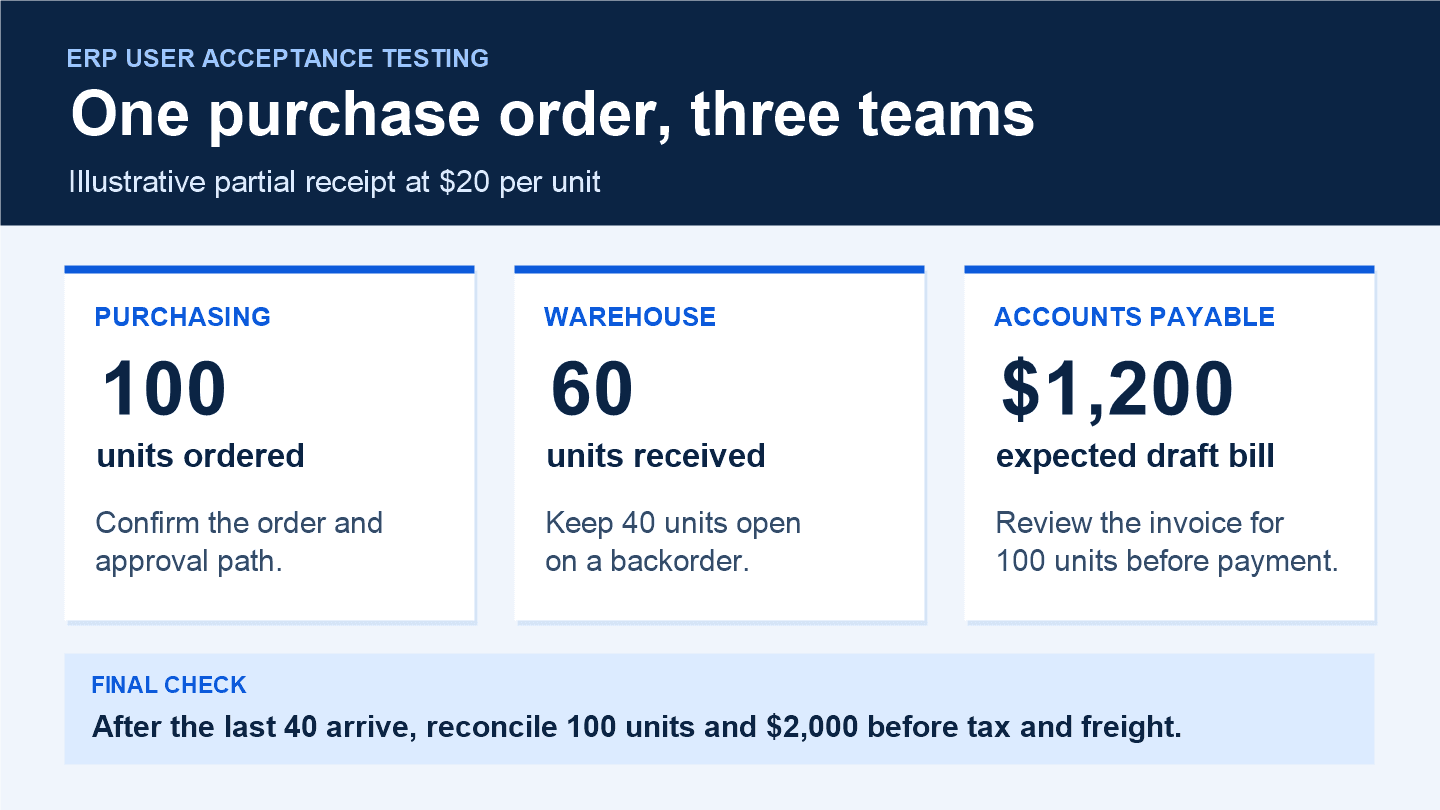
A supplier sends 60 of the 100 units you ordered, then invoices you for all 100. The warehouse knows what came through the door. Purchasing needs to see what is still due. Accounts payable needs to know which quantity to approve. Before go-live, ask all three teams to work through that same purchase order in your new ERP and compare what they see.
That is the purpose of ERP user acceptance testing (UAT). The people who will use the system run day-to-day transactions in a test environment and check the results against agreed business rules. An ERP demo checklist helps you decide what to ask a vendor to show. UAT gives your team a way to verify that the configured workflow works in their hands.
Choose the workflows your team needs on day one
Start with transactions that could stop a shipment, delay a bill, or leave inventory wrong. For a distributor, that could mean sales order to shipment and invoice, purchase order to receipt and vendor bill, or a customer return that changes both inventory and accounting. For a manufacturer, it might mean issuing components, recording finished goods, and checking the resulting stock movements.
Give each workflow a business owner and a tester for every handoff. Before anyone logs in, write down the starting records, who acts next, and what a passing result looks like. Use a normal transaction and an exception your team sees regularly. For example, pair a full supplier delivery with a partial delivery that arrives before the invoice.
Set up the test the way people will work
- Use a test environment with the intended settings, warehouses, approval rules, and integrations for the launch scope. Route outbound messages and integration traffic to test destinations.
- Use representative migrated records where possible. Include real variations in units of measure, vendor terms, warehouse locations, and open orders. Use sanitized data when sensitive details are unnecessary.
- Give each tester their intended role. Ask a warehouse user to validate the receipt and verify that they cannot approve the vendor bill if that permission belongs to finance.
- Agree on the evidence each team will save. A purchase order number, receipt number, draft bill reference, and screenshot of remaining quantities can let another person reproduce the result.
Run a partial receipt through Purchasing, Inventory, and Accounting
Use this illustrative Odoo scenario as a starting point. Order 100 units from a test vendor at $20 each. Receive 60 at the intended warehouse and leave 40 outstanding. For this test, use a stock-tracked product with bill control set to received quantities. Exclude tax and freight so the expected amounts are easy to reconcile.
| Test step | Expected result | Evidence to save |
|---|---|---|
| Confirm the order | 100 units at $20 each. Check the vendor, warehouse, and approval path. | Purchase order number |
| Receive 60 units | Stock at the receiving location increases by 60. A backorder keeps 40 units open. | Receipt and backorder references |
| Check the first bill | The draft shows 60 units and $1,200. Flag the supplier’s 100-unit invoice and follow the dispute or approval process before payment. | Draft bill and mismatch record |
| Receive and bill the last 40 | After recording the first bill, validate the second receipt and bill 40 units for $800. Reconcile 100 units and $2,000 before tax and freight. | Both receipts and bill references |
If your Odoo setup uses three-way matching, include the discrepancy in the test. Check what the configured workflow flags, who can act on the exception, and what your team must do before approving payment. Odoo’s bill control documentation explains the underlying settings.
Record the result and retest the full handoff
For each scenario, record the tester, role, date, starting records, expected result, actual result, status, and evidence. Use four clear statuses: passed, failed, blocked, and pending. If a case fails, give it an owner and record the business impact. “The backorder cannot be found by purchasing after a partial receipt” gives the team a concrete issue to reproduce.
After a fix, rerun the scenario with the affected roles and check the next steps in the same workflow. If a receipt fix changes quantity handling, verify the backorder and vendor bill again. Keep the original result with the retest so the process owner can see what changed.
Use the checklist for go-live sign-off
- Business owners have approved the results for each critical day-one workflow and its main exceptions.
- Teams have checked relevant stock quantities, open orders, bill amounts, and permissions against the agreed results.
- Issues that could stop critical work, produce incorrect stock or accounting records, or bypass an approval have been fixed and retested.
- Any remaining issue has a documented workaround, an owner, a target fix date, and approval from the business owner accepting the risk.
Bring the results into the go-live decision alongside data migration, cutover, training, and support readiness. Have the purchasing, warehouse, and finance owners review the same evidence before signing off on the workflow.
Planning an Odoo rollout? Talk with eBusiness Solutions about Odoo ERP implementation and the purchasing, inventory, and finance scenarios your team needs to test before launch.
Need a clearer CRM or ERP process?
Talk with eBusiness Solutions about connecting customer follow-up, sales, operations, and reporting around the way your team actually works.
Discuss Your CRM or ERP ProcessRelated Articles

An ERP Demo Checklist Built Around Your Working Day
Prepare for an ERP demo with a familiar business task, a realistic exception and a checklist for recording what your team still needs to confirm.

Your Business Is Growing. Why Is Your Team Still Copying Data Between Systems?
See where customer and order details are entered repeatedly, then choose a practical integration, ERP change or smaller improvement.

A Sales to Operations Handoff Checklist for New Customers
Give delivery the context it needs before kickoff. Use six handoff fields to pass on customer scope, commitments, open questions and ownership.