
An ERP Demo Checklist Built Around Your Working Day
Prepare for an ERP demo with a familiar business task, a realistic exception and a checklist for recording what your team still needs to confirm.

The dashboard looks tidy. The presenter moves quickly from a sales order to an invoice. Everyone in the room can see how the process is supposed to work. Then someone from operations asks what happens when only part of the order is ready, and the conversation becomes much more useful.
That is the point of an ERP demo checklist. It gives your team a way to test the work you need the software to support. A useful demonstration should help you understand the steps people will follow, the decisions they will still make and the gaps that need another conversation.
Before the next demo, choose one ordinary transaction and one change that makes it awkward. Ask the vendor to walk through both. You can learn a great deal without turning the meeting into a tour of every available feature.
Bring a piece of work your team recognises
Start with the people who handle the process today. Ask them to describe a recent order, service job or purchasing request from beginning to end. What started it? Who needed to act? What told them it was complete?
Choose an example that matters to your business and fits the time available. A service company might follow a job from an accepted quote through scheduling, completed work and invoicing. A distributor might follow an order through picking and delivery. Neither example needs to cover the whole business in one sitting.
Prepare sample records that preserve the useful details without exposing customer information. Include the fields your team actually uses, such as a customer reference, an agreed delivery date or a billing contact. Send the scenario ahead of time so the vendor can explain what it can demonstrate and what needs preparation.
Agree what a successful result would look like. “Show us order management” is broad. “Show the team which items remain to be delivered after a partial shipment” gives everyone something specific to examine.
Add the change that usually creates extra work
The normal route is only part of the demonstration. Ask what happens when the customer changes something, a required item is unavailable or the person who normally approves the transaction is away.
Choose an exception that your team encounters. Avoid inventing a rare combination of problems just to make the software struggle. The aim is to understand whether the proposed process suits your working day.
For a hypothetical distributor, the test could start with an order for ten units when only six are ready to ship. Ask the presenter to show what happens to the remaining four, what the customer sees and how the team knows what is still open. Then ask how a later cancellation would be handled. These are evaluation questions, not claims about what every ERP supports.
Keep the people who do that work involved. They may notice an extra check or a missing piece of information that is easy to overlook from a management dashboard.
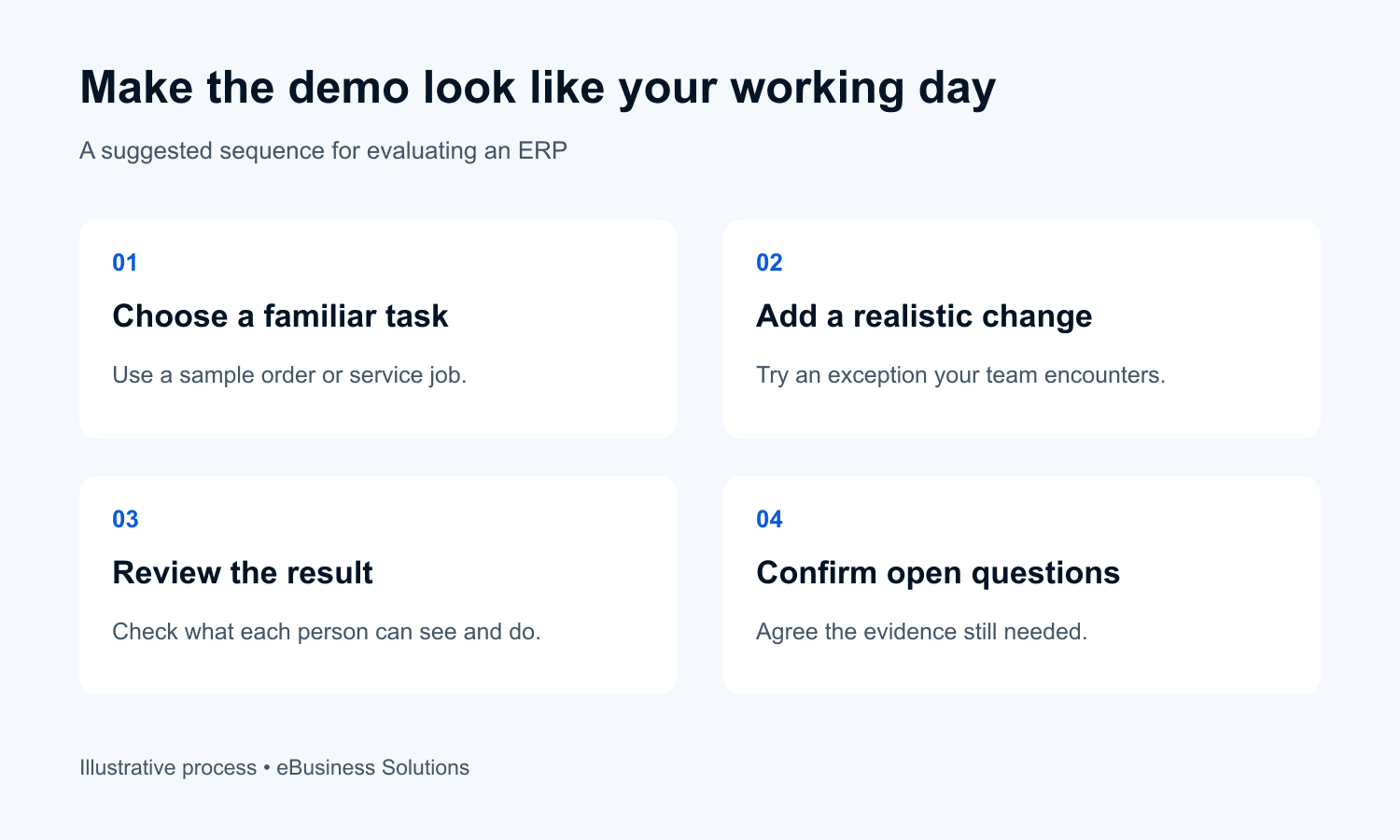
Watch the process from each person’s seat
Ask the presenter to explain which role is carrying out each step. A demonstration using broad administrator access may leave questions about what an ordinary user will be able to see, change or approve.
Follow the task across the departments involved. When sales changes a delivery instruction, how does operations find out? When an approval is needed, where does the request wait? Ask to see the relevant view rather than relying only on a description.
Look at the result using the record created during the demonstration. If a dashboard says an order is complete, can the team explain what that status means? If some work remains, where is it visible? This helps connect the attractive summary screen to the details people need to act on.
Where practical, arrange a supervised session in which a future user tries the task. Keep to an agreed test environment and permissions. Their questions can reveal where the process needs clearer setup or training.
Separate what you saw from what is still proposed
A vendor may explain that a requirement can be handled through setup, an additional application or custom development. That can be a reasonable answer. It still needs to be recorded differently from a step the team has just watched working.
Use plain notes: shown today, partly shown or still to be confirmed. Beside each requirement, record any additional work, software or dependency mentioned during the discussion. Ask the vendor to confirm how those items affect the proposed scope.
An attractive total score can hide a critical gap. Before the meeting, identify the requirements that would prevent your team from doing its essential work if they were missing. Review those individually. Do not let several convenient features cancel out an unresolved requirement that matters more.
Use the same core scenario with each shortlisted vendor. You can still explore a product’s strengths, but a shared starting point makes the differences easier to discuss afterwards.
Use a short checklist during the meeting
The following example is a suggested demo brief for a distributor. Adapt the situation to your business. It is not a completed evaluation or a promise of product functionality.
| Demo moment | Ask the presenter to show | What the team should record |
|---|---|---|
| Create the order | Enter the sample customer order and agreed delivery details | Required fields and who maintains them |
| Deliver part of it | Process six of the ten sample units | How the remaining quantity and next action are shown |
| Change the balance | Explain and demonstrate a permitted cancellation of the remainder | Necessary approvals and effects on downstream records |
| Review the result | Find the transaction from the relevant operational view | Whether a user can explain what is complete and still open |
| Confirm the gaps | Revisit any step that was described but not demonstrated | Evidence needed, responsible person and agreed follow-up |
Keep observations short enough to review together. “The balance was visible on the order, but the team’s work queue was not shown” is more useful than a general comment that the system looked good.
Finish with a clear next step
Before everyone leaves, read back the open questions. Agree what evidence is needed, who will provide it and when the team will review it. Some questions need another demonstration; others need a scope clarification or a conversation with the people responsible for implementation.
Ask your own team what felt straightforward and where they would still need help. Separate training needs from missing functionality. Both matter, but they lead to different actions.
A demo is one part of choosing an ERP. Your decision also needs a review of implementation responsibilities, costs, data migration and ongoing support. The meeting becomes more useful when it produces clear observations you can carry into those discussions.
If you are preparing to compare ERP options, eBusiness Solutions can help turn a real business process into a practical demo brief. Start with one transaction your team knows well and the change that usually makes it difficult.
Need a clearer CRM or ERP process?
Talk with eBusiness Solutions about connecting customer follow-up, sales, operations, and reporting around the way your team actually works.
Discuss Your CRM or ERP ProcessFrequently Asked Questions
Related Articles

Your Business Is Growing. Why Is Your Team Still Copying Data Between Systems?
See where customer and order details are entered repeatedly, then choose a practical integration, ERP change or smaller improvement.

A Sales to Operations Handoff Checklist for New Customers
Give delivery the context it needs before kickoff. Use six handoff fields to pass on customer scope, commitments, open questions and ownership.

Why Purchase Order Approvals Get Stuck and How to Fix Them
Find out where purchase requests get stuck and how clear approval rules, backup approvers and an ERP workflow can help your team move them forward.